How to Transition from Pre‑printed to On‑Demand Labels: Step‑by‑Step StickerYou vs OnlineLabels Guide
Introduction
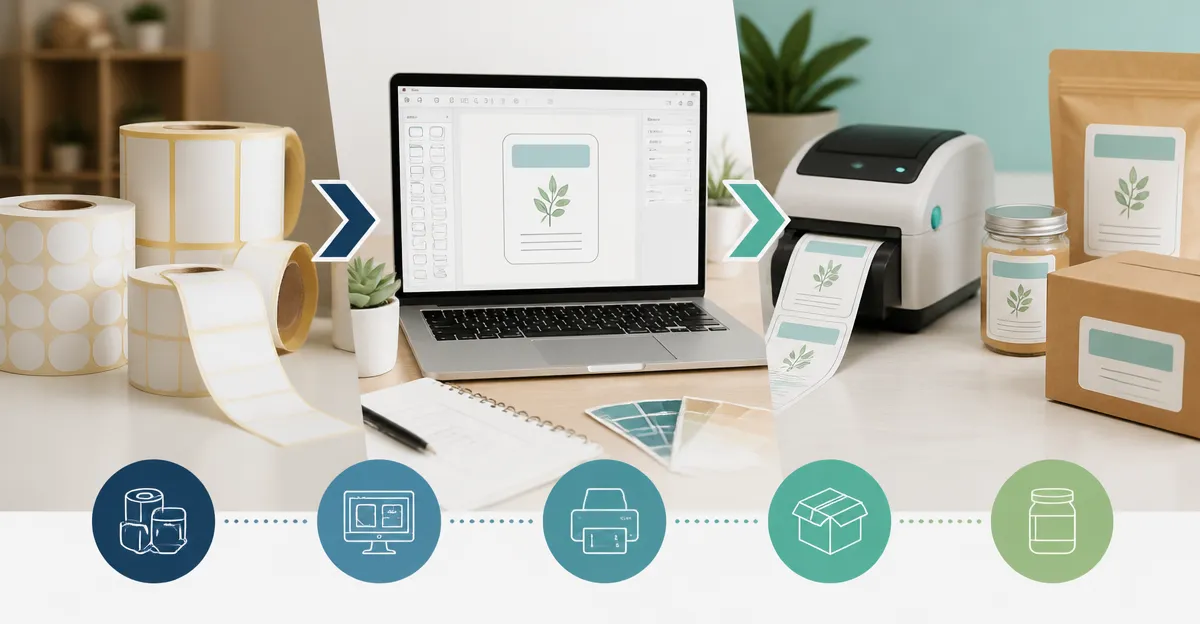
One will discover how to replace traditional pre‑printed stickers with custom, on‑demand labels that enhance brand consistency and reduce inventory waste. The guide explains the advantages of printing labels when needed, such as lower storage costs and the ability to update designs instantly. Readers will learn a systematic workflow that integrates affordable label sheets, printer settings, and software tools. By following the instructions, one can achieve professional results without relying on external printing services.
On‑demand labeling is particularly valuable for small businesses that manage fluctuating product lines or seasonal promotions. The flexibility allows rapid adaptation to regulatory changes, new address formats, or marketing campaigns. Moreover, the use of high‑quality adhesive and feed technologies ensures that printed labels remain legible and securely attached. This guide balances accessibility with depth, making it suitable for an intermediate audience familiar with basic printing concepts.
What You'll Need
- Avery Easy Peel Address Labels – 750 sheets, inkjet optimized, $8.88, 4.8 rating.
- Avery Sure Feed Address Labels – 3,000 sheets, laser optimized, $28.99, 4.8 rating.
- BETCKEY Full Sheet Labels – 100 sheets, 8.5" x 11", $13.90, 4.6 rating.
- Methdic Shipping Labels 2x4 – 300 sheets, $6.98, 4.6 rating.
- Methdic Address Labels 1x2-5/8 – 900 sheets, $6.98, 4.6 rating.
- Computer with spreadsheet software (Excel or Google Sheets).
- Inkjet or laser printer compatible with the chosen label type.
- Avery Design & Print Online or a comparable template editor.
Step 1: Assess Your Label Requirements
The first major step is to quantify the volume and dimensions of labels required for upcoming shipments or inventory. One should review recent order histories to estimate average monthly label consumption, then add a safety margin of fifteen percent. If the majority of labels are standard address size (1" x 2‑5/8"), the Avery Easy Peel Address Labels provide a cost‑effective solution at $8.88 for 750 sheets, while the Avery Sure Feed Address Labels deliver a larger inventory for $28.99, suitable for high‑volume operations. For larger format needs such as shipping manifests, the Methdic Shipping Labels 2x4 offer a 2" x 4" footprint that accommodates more information per label.
When deciding between inkjet and laser media, one must consider the printer available in the office. Inkjet printers excel at reproducing vivid colors and fine gradients, making the Avery Easy Peel Address Labels ideal for colorful branding. Laser printers, on the other hand, provide faster dry times and sharper text, aligning with the Avery Sure Feed Address Labels. Both product families incorporate Sure Feed technology, which reduces misalignments and printer jams, thereby preserving workflow efficiency.
Step 2: Prepare Your Data Using a Spreadsheet
Accurate data entry is essential to avoid re‑printing errors that waste time and material. One should export customer names, addresses, and any custom fields from the order management system into a CSV file. The CSV can then be opened in Excel, where column headers are aligned with the label template fields. It is advisable to validate postal codes and remove duplicate rows before proceeding. The spreadsheet acts as the source for the mail‑merge function available in Avery Design & Print Online, which can import the data directly.
For users who prefer a more flexible design environment, the BETCKEY Full Sheet Labels provide a blank canvas that can be imported into Adobe Illustrator or Microsoft Word using the supplied templates. This approach is useful when creating unique shapes or incorporating brand‑specific graphics that exceed the standard address label dimensions. The matte finish of the BETCKEY sheets ensures that ink adheres evenly, reducing smudge risk on both inkjet and laser printers.
Step 3: Select the Appropriate Template and Load the Labels
Choosing the correct template guarantees that printed content aligns precisely with the adhesive area. The Avery Design & Print Online library contains ready‑made templates for both the Easy Peel and Sure Feed label sizes, eliminating the need for manual margin adjustments. When using the Methdic Address Labels 1x2‑5/8, users can download the PDF template from the product page and import it into their preferred design software.
Loading the labels into the printer requires attention to the sheet orientation and the pop‑up edge feature. The Easy Peel design includes a pop‑up edge that lifts the label corners for effortless separation after printing. Users should feed the sheet face‑up into the printer tray, ensuring that the adhesive side contacts the printer rollers. The Sure Feed technology embedded in both Avery products minimizes the likelihood of paper jams, which is especially important when printing large batches.
Step 4: Print a Test Sheet and Verify Quality
Before committing to a full run, one must print a single test sheet to verify alignment, color fidelity, and adhesive performance. The test should include a representative address, a barcode if applicable, and any branding elements such as a logo. After printing, the pop‑up edge of the Avery Easy Peel labels should be gently lifted to confirm that the adhesive has not shifted during the printing process. If the test reveals faint text, adjusting the printer’s DPI setting to 600 dpi can improve sharpness.
When using the BETCKEY Full Sheet Labels, the matte finish may appear slightly dull on screen; however, the printed result will display true colors once the ink dries. Users should allow a minimum of two minutes for inkjet ink to set before handling the sheet, preventing smearing. For laser‑printed Methdic Shipping Labels 2x4, the toner bonds instantly, allowing immediate peeling and application.
Step 5: Execute the Full Print Run and Apply Labels Efficiently
With the test confirmed, one can initiate the full print run, monitoring the printer for any paper feed errors. The Avery Sure Feed Address Labels, containing 3,000 sheets, are designed for high‑volume output; therefore, it is prudent to schedule the print job during off‑peak hours to avoid network congestion. After printing, the Easy Peel feature enables rapid removal of individual labels without the need for additional tools.
For bulk application, a label applicator or a simple rubber stamp can be used to press each label onto its target surface, ensuring consistent adhesion. The Methdic Shipping Labels 2x4, with their strong permanent adhesive, adhere well to cardboard, plastic containers, and metal surfaces, making them suitable for warehouse environments. Finally, store any unused label sheets in a cool, dry place to preserve the adhesive integrity for future use.
Tips & Pro Tips
- Maintain a master spreadsheet that includes a column for "Label Type" to streamline future print jobs.
- When printing on glossy paper, set the printer to "Photo Paper" mode to prevent ink feathering.
- Use the pop‑up edge of Avery Easy Peel labels to speed up high‑volume peeling; a gentle finger press is sufficient.
- For custom shapes, cut BETCKEY Full Sheet Labels with an electronic cutting machine; the backing lacks slits, preventing premature tearing.
- Apply a light pressure roller after placing Methdic Shipping Labels to ensure a bubble‑free bond on uneven surfaces.
Troubleshooting
Problem: Labels jam in the printer.
Solution: Verify that the printer tray is set to the correct paper thickness and that the labels are loaded with the adhesive side facing the correct direction. The Sure Feed technology reduces this risk, but older printers may still require manual adjustment of the paper guides.
Problem: Ink smears on the label surface.
Solution: Allow the printed sheet to dry for at least two minutes for inkjet printers, or increase the printer’s drying time setting if available. Switching to a matte‑finish label such as BETCKEY can also mitigate smearing.
Problem: Alignment is off by a few millimetres.
Solution: Re‑import the spreadsheet into the template editor and ensure that the margin settings match the label dimensions exactly. Using Avery Design & Print Online guarantees pre‑aligned templates for both Easy Peel and Sure Feed labels.
Conclusion
One now possesses a complete, repeatable process for transitioning from pre‑printed stickers to on‑demand label production. By assessing volume, preparing accurate data, selecting the appropriate template, testing, and executing the print run, businesses can achieve cost savings and branding consistency. The recommended products—Avery Easy Peel, Avery Sure Feed, BETCKEY Full Sheet, Methdic Shipping, and Methdic Address labels—offer a range of sizes, printer compatibilities, and price points to suit diverse operational needs. Implementing the tips and troubleshooting steps will further enhance reliability and efficiency.
Readers are encouraged to adopt this workflow, experiment with design variations, and monitor inventory levels to refine their labeling strategy over time. The shift to on‑demand labels represents a strategic advantage in a competitive marketplace.
Frequently Asked Questions
What are the main benefits of switching from pre‑printed stickers to on‑demand labels?
On‑demand labels reduce inventory waste, lower storage costs, and let you update designs instantly for seasonal or regulatory changes.
How can small businesses start printing their own labels without expensive equipment?
Use affordable label sheets compatible with standard inkjet or laser printers and follow the guide’s printer‑setting recommendations.
What workflow steps does the guide recommend for creating professional on‑demand labels?
Choose the right label stock, set printer DPI and media type, design in label software, print a test sheet, then batch‑print as needed.
How do StickerYou and OnlineLabels compare for on‑demand label printing?
StickerYou offers custom‑shaped stickers with a design‑tool interface, while OnlineLabels provides a wider range of ready‑made label templates and bulk‑sheet options for DIY printing.
Can on‑demand labels meet regulatory requirements for address or safety labeling?
Yes, because you can print the latest formats on demand, ensuring compliance with changing address standards or safety warnings.